A side panel for Google Play Console and App Store Connect
What Google Play Console and App Store Connect ask for, field by field, in Chrome's side panel next to the console. Free. It never fills in or submits anything: you fill in the console, and the panel is the checklist beside you.
Listed in the Chrome Web Store as AppFoyer — Store Publishing Helper for Google Play & App Store, for developers publishing to Google Play and the App Store. Not affiliated with, endorsed by or sponsored by Google or Apple. Google Play and App Store are trademarks of their owners.
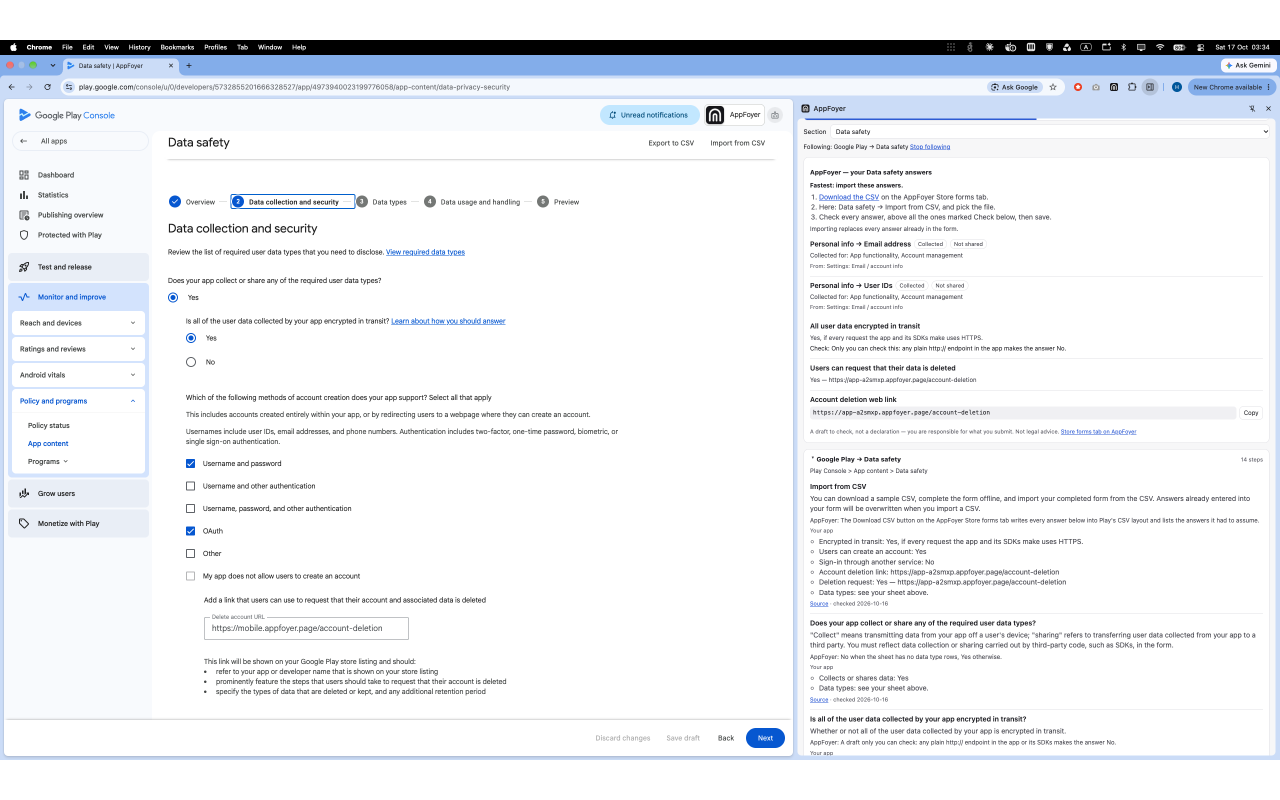
What it shows
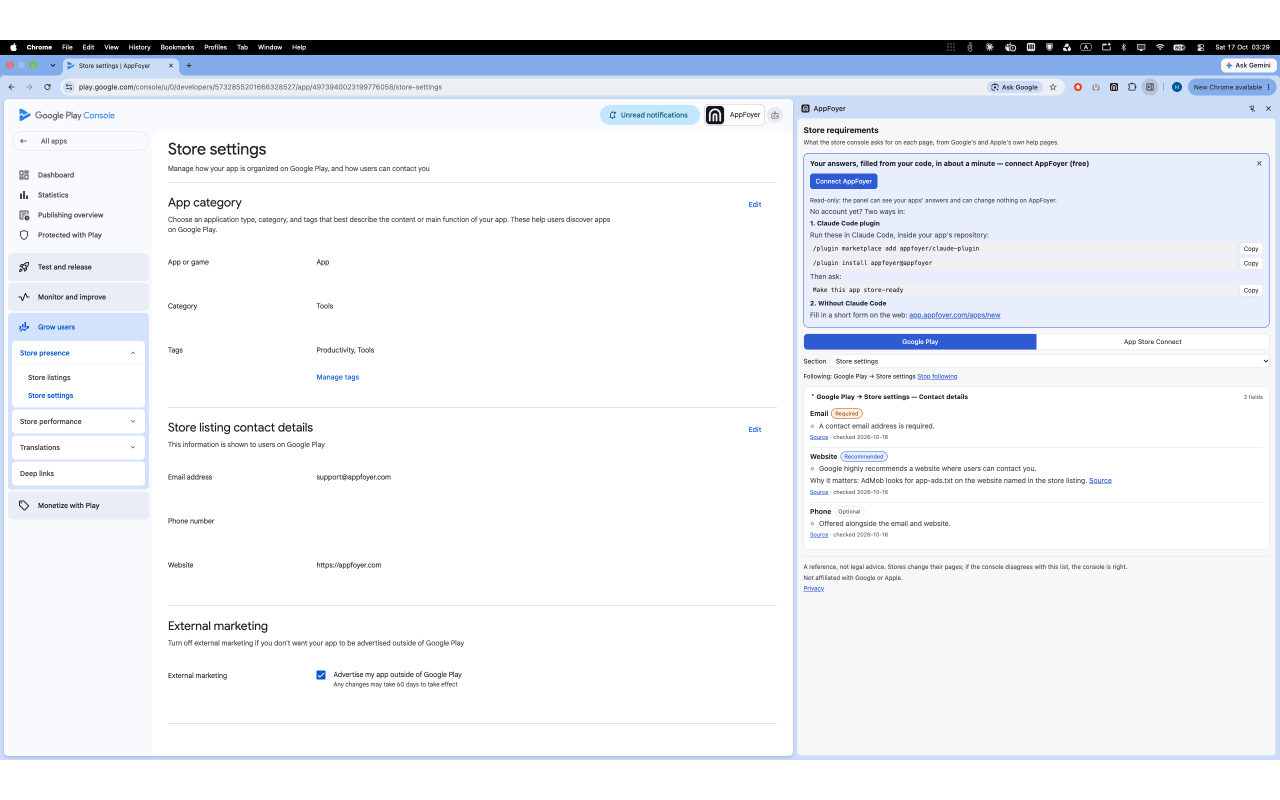
Open the panel next to the console and it shows what the page you are on asks for, in the store's own words, with a link to the store's own help page and the date we read it for every rule.
- Store listing. App name, short and full description, icon, feature graphic, screenshots and video, with the limits and formats Google and Apple publish, such as an app name of up to 30 characters, a 512 × 512 PNG Play icon or Apple keywords of up to 100 bytes.
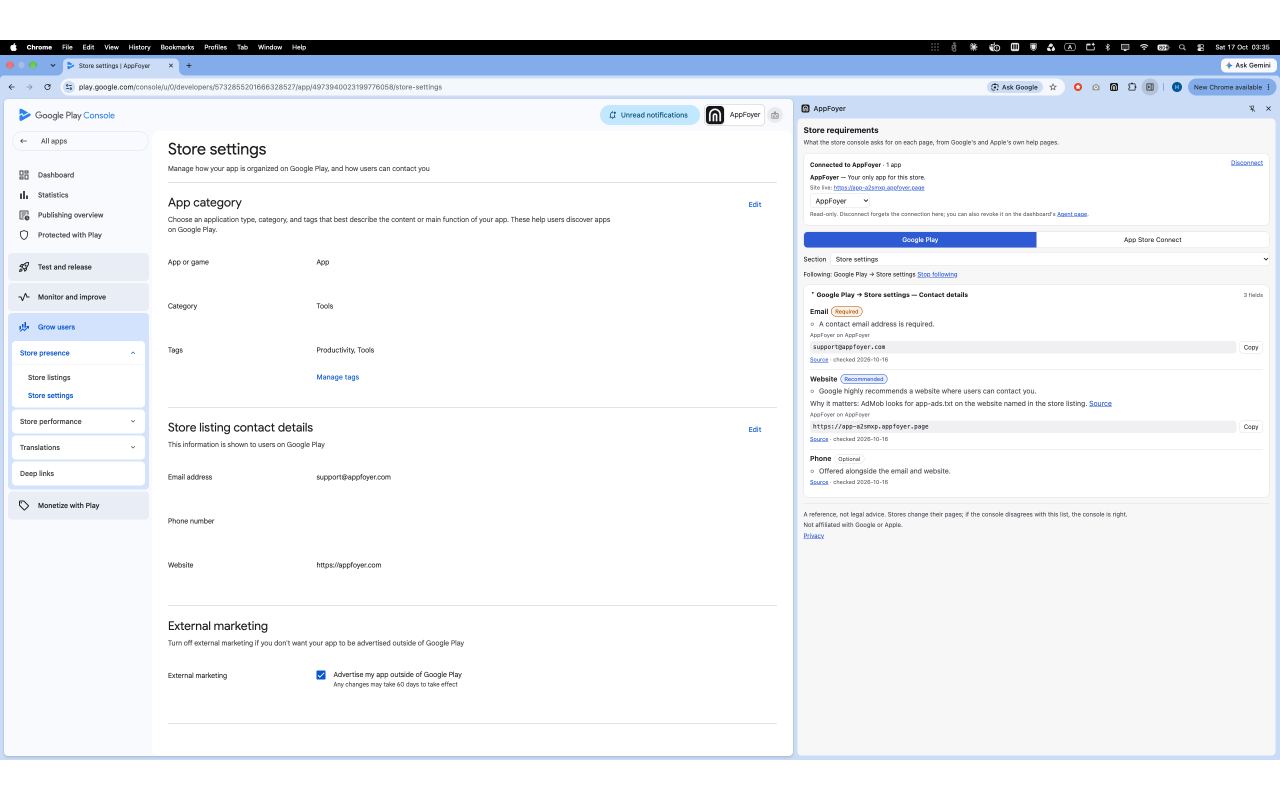
- Contact details and the privacy policy URL. Which are required and where they go.
- Google Play Data safety. Every question in Play's order, what it means, and the purposes as Google defines them.
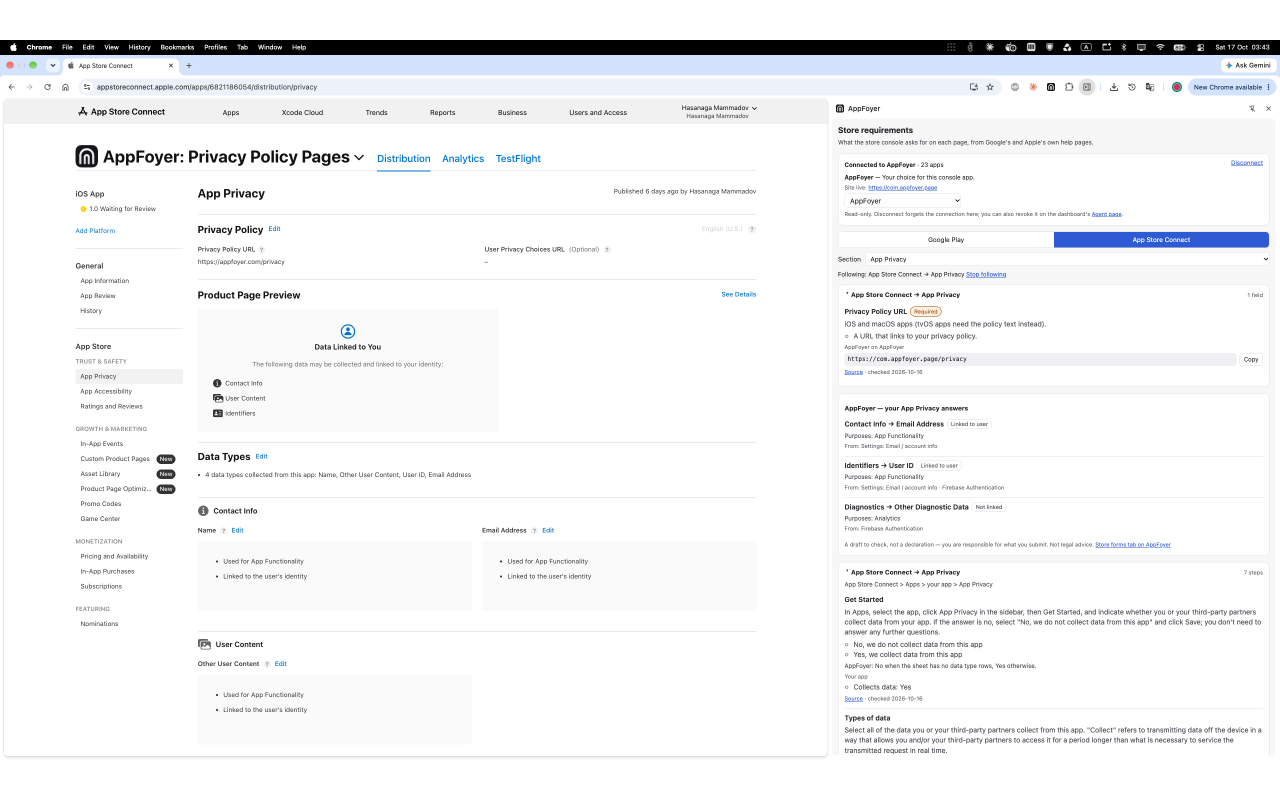
- Apple App Privacy. The data types, “linked to the user”, “used for tracking” and the purposes as Apple defines them.
- A length counter. For every field with a limit. It runs in the panel; nothing you paste is sent anywhere.
Follow my page (optional)
Turn it on and the panel opens the section for the console page you are on. Chrome asks you first. The extension then reads only the address of Play Console and App Store Connect tabs: never the page itself, and never any other site. Leave it off and you pick the section in the panel yourself.
Connect AppFoyer (optional, free)
The panel works without an account. If your app's pages are hosted on AppFoyer, connect your account and the panel also shows your own values next to each field (app name, support email, website, privacy policy and support URLs), ready to copy, plus your app's Data safety and App Privacy answers. A page that is not published yet is marked as not live, because a reviewer who opens a URL that does not load rejects the submission.
The connection is read-only: the extension cannot change anything in your AppFoyer account. It appears on the dashboard's Agent page with your other connections, and you can disconnect it there or in the panel.
What it does not do
- It does not read or change console pages, and it does not click or submit anything.
- It does not collect analytics.
- It is not legal advice. If a console disagrees with the panel, the console is right. You are responsible for what you declare in a store.
What it keeps on your device and what it sends, in full: Chrome extension privacy notice.
Permissions, in plain words
| Permission | What it is for |
|---|---|
| Side panel | The extension's whole interface is Chrome's side panel next to the console. |
| Storage | Keeps your panel choices on this device (store, section, which AppFoyer app goes with which console app) and, if you connect, your AppFoyer sign-in tokens. |
| Identity | Opens the AppFoyer sign-in window when you click Connect AppFoyer. Nothing happens with it until you do. |
| Play Console and App Store Connect addresses (optional) | Asked for only when you turn on Follow my page, and used only to read the address of the console tab. Never the page itself, and never any other site. |
Installing it asks for access to no website. The two console addresses are asked for only when you turn on Follow my page.
Screenshots
Get it
The extension is free, and so are the store forms on every AppFoyer plan. Step by step, from installing to importing your Data safety answers: the side-panel guide.