AI アシスタントでアプリのプライバシーポリシーを書く — 機能するプロンプト
「プライバシーポリシーを書いて」が汎用的な文章になる理由、プロンプトが代わりにさせるべきこと、Claude、ChatGPT、Cursor などに貼れるプロンプト。
アシスタントに渡すのは質問票ではなく根拠です。コーディングエージェントにアプリのビルドファイルを読ませて、アプリが実際に含んでいる SDK とパーミッションを挙げさせ、知りようがないことだけをあなたに尋ねさせ、推測を禁じてください。わからないことは [confirm] のメモになります。そのうえで、依存関係ファイルにあるすべての SDK が結果に現れているかを確認します。
数分で済ませる方法もあります
AppFoyer は、このガイドで扱っているページ(プライバシーポリシー、利用規約、サポート、アカウント削除、そして app-ads.txt)を、専用のサブドメインでホストします。自分のドメインもサーバーも要りません。アプリ 1 つまでは無料で、ストアが求めるものが有料プランの壁の向こうに置かれることは決してありません。
2026年9月19日 に確認。 ストアのポリシーは、予告なく変わることもあります。以下の内容はすべて公式ドキュメントにリンクしており、拠り所となるのはこのページではなくそちらです。両者が食い違う場合は、ストアが正しいものとしてください。 このガイドは英語からの翻訳です。ストアのドキュメントからの引用は原文の英語のまま掲載しています。
AI アシスタントは 10 秒でプライバシーポリシーを書きます。問題は、それが何をもとに書くかです。「フィットネスアプリのプライバシーポリシーを書いて」と頼まれても、手がかりは「フィットネス」という言葉しかないので、これまで読んだあらゆるプライバシーポリシーの平均を出力します。アプリが設定しない Cookie についての条項、広告のないアプリの広告識別子、「必要な期間」という保存期間、そして実際に組み込んでいる SDK はひとつも出てきません。読みやすくはあります。しかしそれは、ストアの審査担当者が Data safety フォームや App Privacy の回答と照らし合わせる部分であり、その照合で破綻します。
1 行のプロンプトが失敗する理由
- でっち上げる。 セクションを埋めるよう頼まれたモデルは、それを埋めます。保存期間、法的根拠、会社の住所。どれももっともらしく、どれもあなたがしていないビジネス上の表明です。
- 具体的であるべきところで汎用的になる。 いちばん重要なセクションはサードパーティサービスのリストですが、依存関係ファイルを見ていないモデルにはその名前を挙げられません。
- 過剰に申告する。 収集していないデータを列挙するのは「安全」ではありません。あなた自身のストアでの申告と食い違うことになり、逆方向から同じ問題を生みます。
- チャット画面向けに整形する。 表、脚注、インライン HTML は返答の中では問題なく見えますが、貼り付けた先では崩れます。
プロンプトがさせるべきこと
- まず根拠を読ませる。 リポジトリで開いたコーディングエージェント(Claude Code、Cursor、Codex など)は、
build.gradle、Podfile.lock、Info.plist、マニフェストを読んで、すべての SDK とパーミッションを出どころのファイルつきで列挙できます。そのリストがポリシーの中身です。ファイルにアクセスできないチャットアシスタントには、それらのファイルを貼るようあなたに頼ませてください。 - それ以外には立ち入らせない。 ビルドファイルとマニフェストのファイルで十分です。
.envファイル、キーストア、ソースコードを開く理由はなく、プロンプトでそう明言しておけば心配ごとが 1 つ減ります。 - 読み取れないことだけを尋ねさせる。 データをどのくらいの期間保持するか、バックエンドがあるか、アプリが子ども向けか、ビルドに痕跡を残さないパートナーとデータを共有しているか。それ以外は尋ねる必要がありません。
- 推測を拒否させる。 わからないところには、文ではなく
[confirm: …]と書かせます。目に見える空白は直せますが、でっち上げた条項は公開された表明になります。 - 公開先に合わせて書かせる。 プレーンな Markdown、リンクは役に立つところだけ(提供元自身のプライバシーページ、サポートのアドレス)、そして本文が法的助言ではないという免責事項。
プロンプト
丸ごとコピーしてください。冒頭の角かっこの事実を置き換えるか、そのままにしてアシスタントに尋ねさせます。
You are helping me write the privacy policy for my mobile app. It will be published as a web page on AppFoyer and its URL goes into the "Privacy policy" field of Google Play and App Store Connect, where reviewers compare it with what the app actually does. Accuracy matters more than length.

## About the app

- App name: [app name]
- Developer / company: [developer or company name]
- Support email: [support email]
- Platforms: [Android, iOS or both]
- Store listings: [store listing URLs, or "not listed yet"]
- Where this policy will be published: [your AppFoyer site URL]/privacy
- What the app collects, as I declared it: [what the app collects — e.g. account info, analytics, ads, crash reports, location, purchases, or nothing]
- Account deletion page: [your AppFoyer site URL]/account-deletion (only if the app has user accounts)
- Country whose law applies: [country, if you have one]

## Step 1 — find the facts

If you can read this app's source code, read only its build, manifest and store-metadata files — for example `build.gradle(.kts)`, `gradle/libs.versions.toml`, `AndroidManifest.xml`, `Podfile.lock`, `Package.swift`, `Info.plist`, `PrivacyInfo.xcprivacy`, `pubspec.yaml`, `package.json`, `app.json`. Do not open `.env` files, keystores, credentials or any other secrets, and do not change any file.

From them, list:

- every third-party SDK or service that collects or receives user data (analytics, ads, crash reporting, sign-in, payments, push notifications, backend, AI APIs) and what it receives;
- every permission the app requests and the feature that uses it;
- whether the app sells in-app purchases or subscriptions (StoreKit, Google Play Billing, RevenueCat and the like).

Show me that list with the file each fact came from, point out anything that contradicts what I declared above, and ask me to confirm it.

If you cannot read the code, ask me to paste the dependency files (for example `app/build.gradle` and `Podfile`) or to list the SDKs and permissions myself.

## Step 2 — ask only what you cannot know

Then ask me, in one short numbered list, and wait for my answers:

1. How long each kind of data is kept, and whether there is a backend (where it runs, what it stores).
2. Whether the app is directed at children under 13.
3. Whether any data is shared with or sold to anyone beyond the services above.
4. Whether the app takes any payments, if the files did not settle it.
5. Anything else you could not determine.

Never guess. Where I do not know an answer, write `[confirm: …]` in the text instead of inventing one.

## Step 3 — write the policy

Sections, in this order, leaving out any that do not apply: Data we collect · How we use it · Third-party services · Purchases and subscriptions · Permissions · Data retention and deletion · Children · Your choices and rights · Changes to this policy · Contact.

- Plain language, short sentences. Describe what this app does; no clauses about things it does not do.
- Under Third-party services, name each provider, say what it receives and why, and link its own privacy policy page.
- Do not invent retention periods, legal bases, company addresses or a data protection officer — use `[confirm: …]`.
- Start with `# Privacy Policy`, then the line `_Last updated: [today's date]_`.
- Write these placeholders exactly as shown, never the values — they are filled in from my settings when the page is published: `{{app_name}}`, `{{developer_name}}`, `{{support_email}}`, `{{public_url}}`.
- In the Contact section, write the address as `[{{support_email}}](mailto:{{support_email}})`.
- If the app has user accounts, link account deletion as `[{{public_url}}/account-deletion]({{public_url}}/account-deletion)` in the retention and deletion section.
- Mandatory if the app is on iOS and has any in-app purchase or subscription — declared above, found in the build files or confirmed by me: in the Purchases and subscriptions section, include this sentence unchanged: For the iOS version, Apple's standard [Licensed Application End User License Agreement](https://www.apple.com/legal/internet-services/itunes/dev/stdeula/) applies to your use of the App. Never leave it out when the app takes payments.
- End with this paragraph, unchanged:

  _This page was generated from a template provided by the hosting platform and completed by the app developer. It is not legal advice. The developer named above is solely responsible for its accuracy and for complying with the laws that apply to them._

## Format — this is pasted into a Markdown editor

- Reply with the finished policy only, as Markdown inside one ```markdown code block, with nothing before or after it.
- CommonMark only: headings, paragraphs, lists, bold, italics and links. No tables, no HTML, no images, no footnotes.
- Links only to the providers' own privacy policy pages, to `{{public_url}}`, to Apple's EULA as above and to the support email. Any other link is shown as plain text on the published page, so leave it out. No link shorteners, no download links.
これは AppFoyer で公開するページ向けに書かれているので、{{app_name}} 形式のプレースホルダーを求め、私たちの免責事項で終わります。別の場所で公開するなら、Step 3 のうちプレースホルダー、削除ページへのリンク、締めの段落についての行を削除し、代わりに実際の値を求めるようにしてください。
書かれたものを公開する前に
草稿を書いたのはアシスタントですが、公開するのはあなたです。次の順番で確認してください:
- 依存関係ファイルにあるすべての SDK がポリシーに現れていて、そこにないものは何も現れていない。これは機械的なテストであり、審査担当者が事実上行っているテストです。
- すべての
[confirm: …]が実際の答えに置き換えられているか、その文が削除されている。 - サードパーティのセクションが Data safety フォームと App Privacy の回答と一致している。 食い違うなら、どちらかが間違っています。どちらであれ直してください。
- アプリが支払いを受け付けるなら、Apple の EULA へのリンクがある。 アプリ内課金やサブスクリプションのある iOS アプリは、プライバシーポリシーから Apple の標準の Licensed Application End User License Agreement にリンクします。プロンプトはそれを求めているので、残っているかを確認してください。
- 保存期間があなた自身のものである。 バックエンドが何をどのくらいの期間保持しているかを知っているのはあなただけです。
- 普通でないものは弁護士に。 健康データ、金融、子ども、パートナーと共有するデータ。プロンプトを使っても、テンプレートがカバーできない範囲は変わりません。
AppFoyer がここでしていること
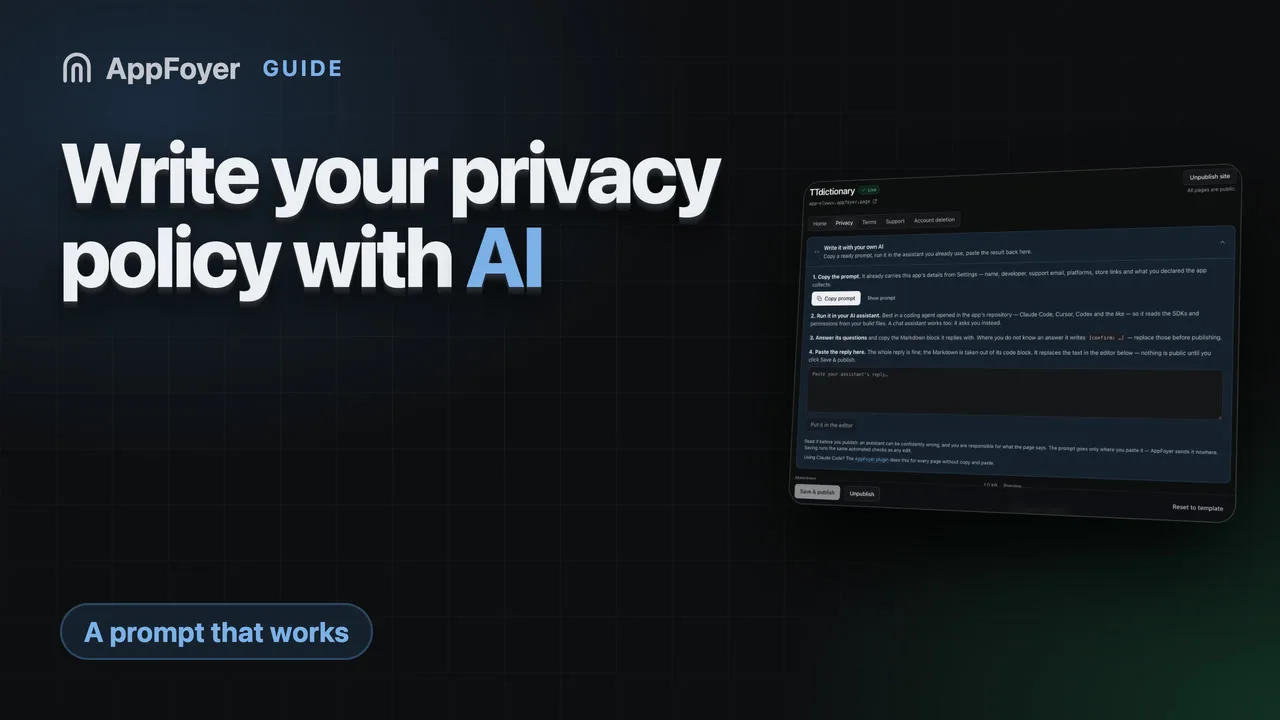
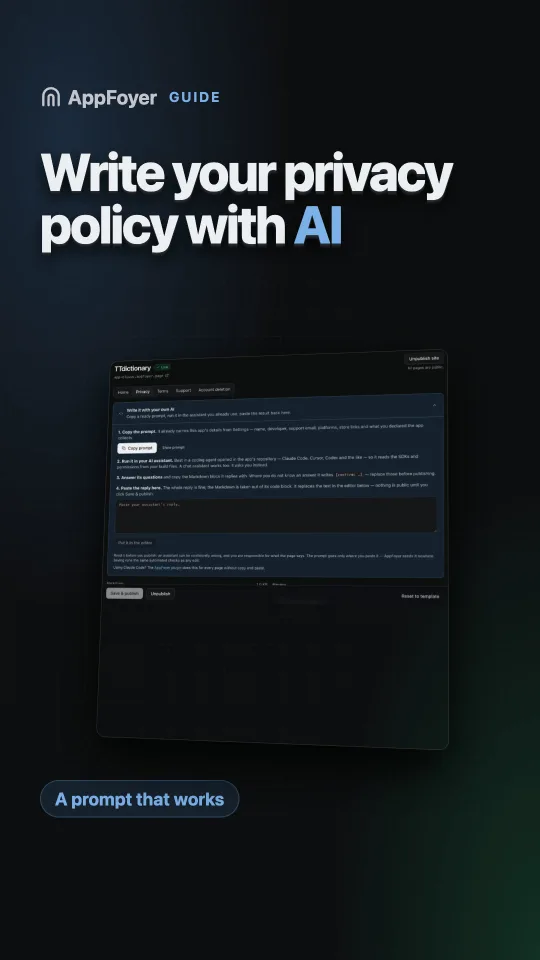
ダッシュボードのプライバシーページのエディターには Write it with your own AI(自分の AI で書く)パネルがあります。同じプロンプトに、アプリ名、デベロッパー、サポート用のメールアドレス、プラットフォーム、ストアのリンク、申告したデータがあらかじめ埋め込まれています。コピーして、使っているアシスタントで実行し、返答をパネルに貼り戻してください。Markdown はコードブロックから取り出されてエディターに入り、プレビューに公開される内容がそのまま表示されます。公開をクリックするまで何も公開されず、本文は他の編集と同じ自動チェックを通ります。
利用規約のページにも、専用のプロンプトを持つ同じパネルがあります。そのプロンプトはアプリに利用規約は必要か?に載っています。Claude Code を使っているなら、AppFoyer のプラグインがコピー&ペーストなしで 5 つのページすべてについて同じことを行い、こちらも公開はできません。どちらの経路も法的助言ではなく、すべてのページにそう明記されています。
公式の情報源
- Privacy policy requirements — Google Play ヘルプ
- Provide information for Google Play’s Data safety section — Google Play Console ヘルプ、SDK のデータも自分で申告すべきものであることについて
- App privacy details on the App Store — Apple