Guides Terms, support and listing
The contact details Google Play puts on your listing
Which of the email, phone and website fields you must fill in, what happens to the address you enter, and why the optional website field is the one that matters most.
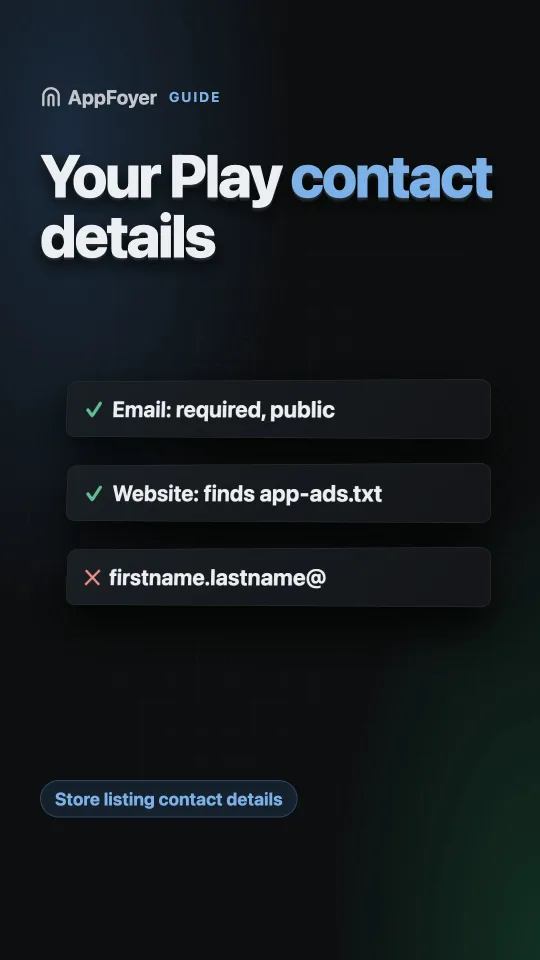
Google Play requires a support email address to publish, and it is shown publicly on your store listing. The phone number and website fields beside it are optional — but the website field is where ad networks look for app-ads.txt, so it stops being optional if your app shows ads.
Do this in a few minutes instead
AppFoyer hosts the pages this guide is about — privacy policy, terms, support, account deletion and app-ads.txt — on their own subdomain, with no domain or server of your own. One app is free, and nothing a store requires is ever behind a paywall.
Checked 19 September 2026. Store policies change, sometimes without notice. Everything below links to the official documentation, and that page — not this one — is the authority. If the two disagree, the store is right.
This is the smallest item on the submission checklist and the one with the longest tail. You fill it in once, in two minutes, and then live with it for the life of the app.
Where the fields are
Play Console → Store settings → Store listing contact details. Three fields: a support email address, a phone number, and a website.
The email is required to publish on Google Play. The other two are not.
What happens to what you enter
It becomes public. Google Play’s own guidance is explicit: “When you provide an email address, website, or phone number for your app, your contact information is available to users on your app’s store listing.”
That has consequences worth thinking about for two minutes rather than zero:
- It will be scraped. An address on a public store listing attracts automated mail. Use one you can filter, not one you rely on for anything else.
- It should outlive the project. Support mail from a store listing arrives in bursts: nothing for months, then twenty messages after a bad release. A personal address you abandoned is how a developer learns their app was removed weeks ago.
- It is a real support channel. Play’s guidance recommends pointing users at somewhere you “regularly monitor and use to respond to questions” — which rules out an address nobody opens.
- A personal name in an address is a personal detail you are publishing.
support@on a domain you control is better thanfirstname.lastname@.
The website field is the interesting one
Optional, and the most consequential of the three, for a reason that has nothing to do with
support: app-ads.txt is located through it. Ad networks read the developer website from your
store listing and fetch /app-ads.txt at the root of that hostname.
Leave it empty and there is nowhere for the crawler to start — which is the single most common reason the file reads as “not found”. If your app shows ads, treat this field as required.
It is also worth pointing somewhere that serves your compliance pages, so a reviewer following it finds a coherent site rather than a marketing page with no policy on it. See does your app need a website.
How this differs from Apple
Different shape, same intent:
| Google Play | App Store | |
|---|---|---|
| Contact email | Required, public on the listing | Not a listing field; contact goes through your Support URL |
| Support page | Not a required field | Required — the Support URL |
| Website | Optional field on the listing | Optional Marketing URL |
So on Play the contact route is an address; on Apple it is a page. If you ship on both, the easiest arrangement is a support page with the address on it: Apple gets the page, Play gets the address, and there is one thing to keep current.
This is separate from your developer account details
Do not confuse the two. Store listing contact details are per app and public. Your developer account contact information is a separate, verified record Google holds — and for organisation accounts the guidance is that it should be an address associated with the organisation rather than a generic or personal one. Changing one does not change the other.
What AppFoyer does here
The support address you set in your app’s settings is what the generated support page publishes, and what the account-deletion page falls back to when there is no verified notification channel. Paste the same address into Play’s contact field and your app’s own subdomain into the website field, and the three requirements on this page and the two on Apple’s are answered by one set of pages.
The support address is also the only address the renderer will turn into a clickable mailto: link
on your published pages — any other address in your page text stays as plain text. That is a
deliberate anti-phishing rule, and it means the contact route on your site is the one you declared,
not one that got pasted in later.
The authoritative sources
- Provide contact information — Google Play Console Help. The quotation above is from this page.
- Set up app-ads.txt — AdMob Help, for how the website field is used.
- App Store Connect — app information — Apple, for the Support and Marketing URL fields.